
In today’s fast-paced digital world, seamless payment methods like Apple Pay have transformed how students manage their finances. However, encountering issues with online Apple Pay can be frustrating, especially when you’re navigating academic responsibilities and part-time jobs. Understanding why your Apple Pay may not be working is essential for ensuring you can quickly handle transactions for essentials like textbooks, supplies, or even student subscriptions. In this article, we’ll explore common reasons for Apple Pay glitches and offer effective solutions to get you back on track. By addressing these concerns, you’ll not only enhance your payment experience but also gain valuable insights into managing your financial tools efficiently. Keep reading to dive into the specifics and empower your student journey!
Understanding Common Apple Pay Issues
Navigating the world of online payments can be challenging, especially for students who are often juggling tight budgets and academic responsibilities. One of the most popular digital wallets, Apple Pay, has revolutionized how we transact but can sometimes present issues that leave users frustrated. Understanding the common problems associated with Apple Pay is key to ensuring a smoother shopping experience.
A frequent concern users encounter is the inability to link their payment methods correctly. This might stem from various reasons including outdated billing information, a lack of compatible cards, or restrictions from the issuing bank. For students who may be using debit cards tied to student bank accounts, it’s important to ensure that the card supports Apple Pay and that all account details, such as billing addresses, are up-to-date. Additionally, checking the network connection is essential-Apple Pay requires internet access to function properly.
Another common issue arises from insufficient funds in the linked bank account. Students, often managing their finances carefully, might find themselves close to their balance limit without realizing it. This can result in payment failures at checkout, leaving them unable to complete purchases. It’s advisable to keep a small cushion in your account to prevent hiccups during online transactions. Furthermore, some merchants may not accept Apple Pay, which can be a point of confusion. Always confirm that the retailer supports Apple Pay before initiating a transaction to avoid disappointment.
Lastly, security features designed to protect users can sometimes trigger alerts that block transactions. If a payment is flagged as unusual or potentially fraudulent, Apple Pay may decline it automatically. In such cases, students should verify their identity through prompts on their device or contact their bank for clarification. By being aware of these common issues and tips to troubleshoot them, students can navigate their online shopping experiences with greater ease and confidence.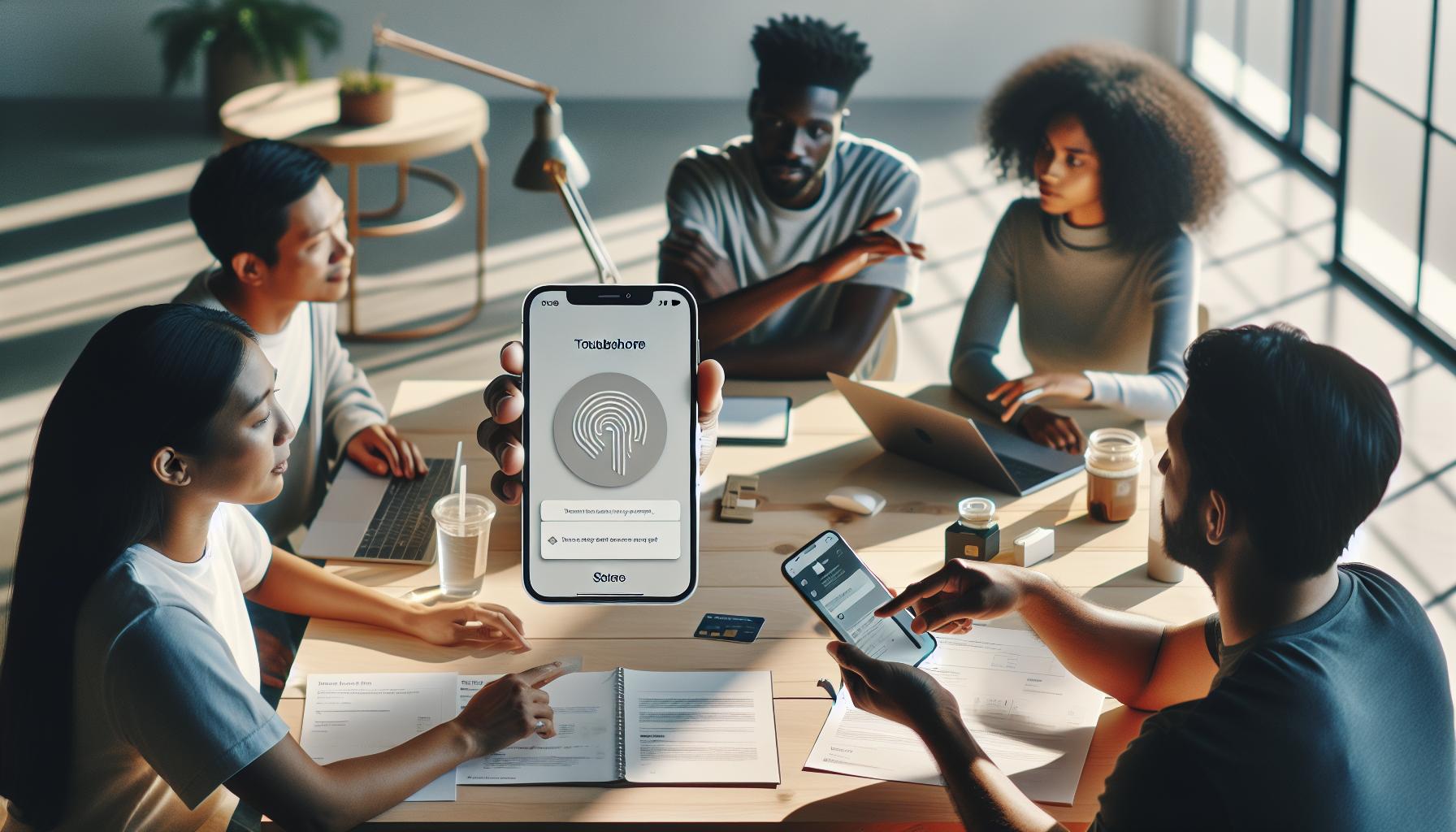
Troubleshooting Your Apple Pay Setup
Navigating payment issues can be a frustrating experience, especially for students who rely on Apple Pay for quick and convenient transactions. Whether it’s buying textbooks online or shopping for essentials, having a seamless payment method is critical. If you find that your Apple Pay setup isn’t functioning as expected, there are several common troubleshooting steps you can take to solve these issues.
First, ensuring that your device is equipped with the latest software version can prevent many glitches. Always check for updates by going to Settings > General > Software Update. If your device is running smoothly but you still encounter problems, review your payment method settings. Verify that your linked cards are valid, not expired, and compatible with Apple Pay. If you’ve recently switched banks or received a new debit card, you will need to update your payment information within the Wallet app.
Next, confirm that your Apple Pay settings allow for online transactions. In Settings, navigate to Wallet & Apple Pay and make sure that your default payment card is correctly set. Moreover, it can be useful to check your internet connection. Apple Pay requires an active network, so whether you’re using Wi-Fi or cellular data, ensure that the connection is stable.
Common Issues and Solutions
Here’s a straightforward checklist to troubleshoot your Apple Pay setup:
- Update Device Software: Go to Settings > General > Software Update to ensure you have the latest version.
- Verify Payment Methods: Check that linked cards are valid and have not expired.
- Network Connection: Make sure you have a stable internet connection when attempting to use Apple Pay.
- Adjust Apple Pay Settings: In Wallet & Apple Pay, confirm that your default card is selected and settings are correct.
- Bank Restrictions: Contact your bank to ensure there are no restrictions on your account that prevent Apple Pay usage.
By following these steps, you can quickly address and resolve issues with your Apple Pay setup, allowing you to focus more on your studies and less on payment hurdles. Remember that understanding your payment tools enhances not only your shopping experience but also sets a solid foundation for managing your finances effectively as you navigate your academic journey.
Common Reasons Apple Pay Fails Online
Navigating online payments can be particularly frustrating when you’re in a rush for school-related purchases, and Apple Pay not working can put a serious damper on your day. Understanding the common reasons behind Apple Pay failures can empower you to tackle these challenges efficiently. Some of the frequent culprits include connectivity issues, outdated software, and payment method problems, all of which can hinder a smooth transaction.
One primary reason transactions fail is a weak or unstable internet connection. Apple Pay requires seamless connectivity, whether you’re using Wi-Fi or mobile data. If your connection drops during a transaction, it might result in failed payments or transactions not being processed. Always ensure your device is connected to a stable network before attempting a payment, and consider switching networks or resetting your router if issues persist.
Another common issue arises from outdated device software. Apple often releases updates that enhance security and fix bugs, including those affecting Apple Pay functionality. Make it a habit to check for updates regularly by navigating to Settings > General > Software Update. Keeping your device updated can resolve unexpected glitches and improve your app’s performance.
It’s also essential to ensure that your linked payment methods are valid and active. An expired card or account can lead to immediate payment failures. Regularly check in your Wallet app to confirm that your payment methods are up to date. If you’ve switched banks or recently received a new card, you’ll need to add this updated information to your Apple Pay settings.
Lastly, bank restrictions can sometimes interfere with the ability to use Apple Pay. Checking directly with your bank can clarify whether there are any holds or policies in place that might affect your ability to make payments. Being proactive about these aspects not only streamlines your payment process but also allows you to focus on enjoying your academic and personal life without unnecessary hiccups.
How to Verify Your Apple Pay Payment Method
Ensuring your payment method is verified in Apple Pay can save you a lot of stress, particularly during those hectic moments when you’re trying to make an online purchase for school. If you encounter issues where Apple Pay fails to work or recognize your payment method, the first step is to check whether your linked cards and accounts are active and properly set up.
To verify your payment methods, follow these straightforward steps:
Step-by-Step Verification
- Open the Wallet app: This is where all your payment cards are managed. Make sure you have the latest version of the app to avoid glitches.
- Select your card: Tap on the card you intend to use. Look for an option that allows you to view its details.
- Check the card status: Ensure the card is not expired. If it’s a debit or credit card, look for the expiration date and verify its validity.
- Verify your information: Ensure that your name and billing address match those on file with your bank. Any discrepancies can cause the payment to fail.
- Update payment information: If you’ve received a new card or switched banks, tap on the option to edit your card details, ensuring all information is up-to-date.
- Check for permissions: Some banks may have specific restrictions on online payments. Contact your bank if you’re unsure, as they can provide guidance on any holds or limitations related to your account.
Once you’ve confirmed that your payment methods are active and correctly entered, try making a purchase again. If it still doesn’t work, consider testing another payment method listed in your Apple Pay.
Being proactive about these steps not only enhances your shopping experience but also allows you to focus on your studies and extracurricular activities without the added pressure of payment issues. Understanding how to effectively verify your payment methods ensures you stay prepared and minimizes disruptions, letting you spend more time on what truly matters: your academic and personal growth.
Fixing Apple Pay Not Recognized by Merchant
If you find yourself in a situation where a merchant does not recognize your Apple Pay transaction, it can be frustrating, especially when you’re on the go or trying to make a quick purchase. This issue can stem from several sources, but identifying and addressing these roadblocks can help restore your ability to use Apple Pay seamlessly.
Start by ensuring that your Apple Wallet app is up to date. Outdated software can lead to incompatibility with certain merchants that have embraced the latest payment technologies. Always check for updates through the App Store and install any available updates for the Wallet app or your device.
Next, it’s crucial to confirm that the merchant accepts Apple Pay. Some vendors may advertise payment methods that do not include Apple Pay or may have limited capability due to technical reasons. To avoid wasting time, always look for the Apple Pay logo at the checkout or ask a staff member if Apple Pay is accepted. If you are using Apple Pay in a physical store, ensure that you are close enough to the payment terminal, as being too far away can disrupt the connection.
Another common hurdle is network connectivity. Apple Pay requires a good internet connection to process transactions. If you’re in a location with poor Wi-Fi or cellular service, your transaction may fail. Therefore, whenever you’re making a digital payment, check your connection by browsing a website or using an app. If your connection is weak, try switching to a different network or moving to a location with better reception.
Consider also payment limits. Some merchants impose transaction limits on mobile wallet payments to protect against fraud. If your total exceeds this limit, Apple Pay may not complete the transaction. Be aware of these limits by checking with the merchant’s payment policies.
Lastly, if you have verified all the above and issues persist, your best move is to contact Apple Support. They can provide specific guidance tailored to your account and assist in troubleshooting further issues you may encounter.
By keeping these strategies in mind, you can ensure a smoother and more successful experience with Apple Pay, allowing you to focus more on your studies and less on payment challenges. Remember, flexibility in your payment methods will empower you to navigate various shopping scenarios effortlessly, fostering both your educational pursuits and your personal growth.
Steps to Update Your Apple Pay Information
Updating your Apple Pay information is essential for ensuring a seamless payment experience, particularly as a student juggling various expenses. To keep your payment methods accurate and your transactions running smoothly, it’s important to regularly verify and update your details. Whether it’s a change in your credit card, banking information, or contact details, following these steps can streamline your Apple Pay setup.
First, open your iPhone and access the Wallet app. Tap on the Apple Pay card that you want to update. If you need to modify a credit or debit card, select that card and then choose “Edit” or “Update.” Here, you can easily edit the card information, such as the card number, expiration date, and billing address. It’s crucial to make sure that any changes accurately reflect the current information provided by your bank or card issuer.
Verify Payment Methods
After updating your card details, verify that your preferred payment method is set correctly. If you have multiple cards, select the card you wish to use as the default for Apple Pay transactions. To do this, navigate to Settings, then tap on Wallet & Apple Pay, and choose Default Card. This ensures that every time you use Apple Pay, your chosen card will be selected automatically, minimizing the risk of using outdated or incorrect information when making a purchase.
Remove Old Cards
It’s also wise to remove any old or unused cards. To do this, back in the Wallet app, select the card you wish to remove, tap the ‘i’ icon (information), and then choose Remove Card. Keeping only active cards not only helps in avoiding confusion but also enhances your payment security by limiting the number of cards associated with your account.
Finally, after making updates, it’s advisable to test the setup with a small purchase. This practice not only confirms that your new information is correctly processed but also helps you feel more confident navigating transactions, whether online or in-store. By keeping your Apple Pay information current, you can ensure a convenient payment experience that allows you to focus on your studies and other important aspects of student life.
Understanding Apple Pay Security Features
When it comes to handling financial transactions, understanding security features is paramount, especially for students who often rely on digital payments for convenience. Apple Pay employs multiple layers of security to protect users’ financial information and ensure each transaction is secure. Notably, your card details are not stored on your device or Apple’s servers; rather, a unique device account number is created and encrypted in the Secure Element, a dedicated chip within your iPhone. This means that even if your device is lost or stolen, your actual credit card information remains secure.
Advanced Security Measures
Apple Pay integrates several protective features, including tokenization and biometric authentication. Tokenization replaces your card information with a unique token for each transaction, preventing potential fraud if a merchant’s system is compromised. Additionally, users are required to use biometric identification-like Face ID or Touch ID-when making purchases, which offers a robust line of defense against unauthorized access. Before each transaction, confirming your identity with a touch or glance not only streamlines the payment process but also elevates your security.
Real-World Examples of Security Features
For instance, if you have set up Apple Pay on your iPhone for making purchases online or in-app, the payment process is seamless yet secure. When you initiate a purchase, Apple Pay sends a dynamic security code associated with the transaction along with your tokenized information. This way, even if cybercriminals intercept the data, they won’t gain access to your actual card information or gain insight into previous purchases, significantly reducing the risk of fraud.
Student-Specific Security Tips
As a student navigating your finances, it’s wise to remain vigilant and informed about your transactions. Here are a few tips to ensure your Apple Pay experience remains secure:
- Regularly update your software: Keeping your iPhone updated ensures you benefit from the latest security patches.
- Monitor transactions: Regularly check your transaction history within the Wallet app to spot any unauthorized charges.
- Set up Find My iPhone: This feature helps locate your device if it goes missing, providing an additional layer of security.
By staying informed and proactive about financial transactions, you can focus on your studies and personal growth without undue worry about payment security.
Student-Specific Apple Pay Challenges
Despite its advantages, Apple Pay can sometimes present unique challenges for students. Navigating these can be particularly daunting for those balancing academic demands with part-time work or internships. One common hurdle is ensuring that your payment method is set up correctly. As students often operate on a tight budget, having a reliable payment method is crucial for online purchases like textbooks, subscriptions, or even digital course materials.
To start troubleshooting, check if your Apple Pay setup includes valid payment cards. Students may use prepaid cards or bank accounts that might not support Apple Pay. Confirm that your bank or card issuer is compatible with Apple Pay and that your payment method is correctly added in the Wallet app. If you run into issues, refreshing your payment settings and re-adding your cards can often clear up any complications. Additionally, ensure that the device’s software is up to date, as outdated software can sometimes interfere with payment processing.
It’s also important to recognize that many merchants may not fully support Apple Pay, especially small and independent businesses where students often shop. If your payment is not accepted, consider discussing with the merchant-sometimes, it’s a simple change in their system settings. For broader access, keeping an alternate payment method handy can lead to a smoother shopping experience, allowing you to continue focusing on your studies without financial interruptions.
Finally, for students facing issues related specifically to payments, student-focused services might offer tailored solutions. Many financial institutions provide student accounts with enhanced features for digital payments; exploring these options could improve your Apple Pay experience and alleviate financial stress. Remember, while challenges are part of the journey, managing your payments effectively enhances your overall student experience.
Contacting Apple Support for Payment Issues
While navigating the ups and downs of student life, the last thing you want is a malfunctioning payment method, especially when quick purchases are necessary for managing your educational needs. If you find that your Apple Pay isn’t working as expected, reaching out to Apple Support can be a crucial step in restoring functionality and ensuring you can focus on your studies and job responsibilities without financial interruptions.
When , it’s beneficial to have your relevant account information ready, such as the Apple ID linked to your Apple Pay, details of the payment method you’re using, and any specific error messages you might have encountered. You can reach them through various channels, including the Apple Support app, website, or by calling their support hotline. Here’s a quick guide to streamline the process:
Steps to Contact Apple Support
- Use the Apple Support App: Download the app if you haven’t already. Navigate to “Get Support,” select “Apple Pay,” and follow the prompts.
- Visit the Apple Support Website: Go to the Apple Support page, choose your product, and select “Apple Pay” to find specific troubleshooting guides and contact options.
- Call Customer Service: If you prefer speaking to someone directly, you can find the appropriate phone number for your region through the Apple website.
Make sure to be specific about the issue at hand and detail any steps you’ve already taken to troubleshoot. This can help the support team provide immediate and relevant assistance.
Many students have found that timely support can lead to quick resolutions, allowing them to continue their online shopping seamlessly. Additionally, remember that resolving payment issues can also save you time-essential for balancing work and academic obligations. So, don’t hesitate to reach out; Apple Support is equipped to help you ensure that you’re getting the most out of your Apple Pay experience without the stress of payment complications affecting your studies.
Enhancing Your Online Shopping Experience with Apple Pay
Shopping online as a student can be both exciting and daunting, especially when payment methods like Apple Pay are in play. The convenience of using Apple Pay is a game changer; it allows for faster checkouts and heightened security. To enhance your shopping experience and reduce the likelihood of issues, familiarize yourself with some practical tips and strategies.
First and foremost, ensure that your Apple Pay is set up correctly and linked to an active payment method. Double-check that your billing information is up-to-date. This step is crucial, particularly for students who frequently update their addresses or switch bank accounts. Enabling notifications can also help you stay informed about transactions, making it easier to catch any discrepancies or issues promptly.
Make a habit of shopping at reputable online retailers that clearly display the Apple Pay option at checkout. This reduces the chances of encountering problems with payment processing. Consider saving your favorite stores within the Apple Wallet for quick access, making the shopping experience not only smoother but also more delightful.
It’s also wise to have alternative payment methods readily available. While Apple Pay is convenient, there may be instances where it’s not accepted, particularly with smaller merchants or local shops. Keeping options like a credit card or another digital wallet can prevent disruptions during your shopping spree.
For students who manage part-time jobs or internships, budgeting effectively and keeping track of expenses is essential. Using Apple Pay can simplify your financial management. By categorizing your transactions through app features, you can analyze spending patterns and adjust your budget accordingly. Empower yourself to make informed decisions about your finances while balancing work and academics.
Investing the time in understanding how to leverage Apple Pay will not only streamline your online shopping but can also help you focus more on your studies and less on payment frustrations. Remember, the benefits of smooth transactions extend beyond mere convenience; they pave the way for a more organized and fulfilling academic life.
Tips for Using Apple Pay for Student Expenses
Ensuring that you can effectively manage your student expenses can be a pivotal factor in balancing your academic and personal life. Using Apple Pay simplifies this process, but to truly make the most out of it, it’s essential to know some practical tips tailored for students. With Apple Pay, you have a secure and convenient way to handle your transactions, whether for textbooks, groceries, or personal outings. However, to avoid common pitfalls that can lead to payment issues, staying informed and prepared is key.
Start by verifying your payment methods linked to your Apple Pay account. Regularly check that your payment card is valid and has sufficient funds. Since many students frequently change banks or credit cards, keeping your payment information updated is critical to avoid payment failures. Additionally, enable notifications within your Apple Wallet to receive alerts for transactions, which allows you to quickly catch any discrepancies or issues with your spending.
It’s also beneficial to plan your purchases wisely. When you know you will be making a larger transaction, consider checking with the merchant beforehand to ensure they accept Apple Pay. This can save you time and frustration at checkout. Furthermore, if you’re shopping for experiences like concerts or trips, take advantage of online ticketing platforms that support Apple Pay; it adds a layer of security to your transactions and often speeds up the process.
When using Apple Pay, budgeting becomes simpler. You can categorize your spending using apps or bank statements to visualize where your money goes each month. This is especially useful when juggling a part-time job or internship while studying. By documenting expenses related to your studies, textbooks, or daily necessities, you can better understand your financial habits and adjust accordingly.
Finally, while Apple Pay is a powerful tool, it’s wise to have backup payment options. Not all merchants accept Apple Pay, particularly at smaller shops. Keeping an alternative payment method, like a credit card, handy can ensure that you never miss out on an essential purchase. This way, you can confidently tackle your daily expenses without the worry of payment failures interrupting your student life. Implementing these tips not only enhances your financial management but also gives you more time to focus on what truly matters: your education and personal growth.
Alternative Payment Methods When Apple Pay Fails
In today’s fast-paced digital world, students increasingly rely on contactless payment methods like Apple Pay. However, it’s essential to have reliable alternative payment options ready when technology doesn’t cooperate. Issues like a poor internet connection, outdated payment information, or merchant restrictions can hinder Apple Pay transactions, leaving you in a bind when you’re out shopping or paying for necessities. Understanding and preparing for these situations can help you navigate your financial commitments smoothly.
When you encounter a situation where Apple Pay isn’t working, consider having a few backup payment methods readily available. Here are some practical options you can use:
- Credit or Debit Cards: Most merchants accept traditional credit or debit cards, making them a reliable alternative for transactions. Ensure your card is handy and has sufficient funds.
- Cash: While it may be a bit old-fashioned, carrying a small amount of cash can always come in handy, especially at local eateries or farmers’ markets that might not support digital payments.
- Mobile Payment Apps: Apps like Venmo, PayPal, or Google Pay offer similar benefits to Apple Pay and might be accepted by vendors who do not support Apple’s payment platform.
- Buy Now, Pay Later Services: Platforms like Afterpay or Klarna let you divide the cost of your purchase into manageable installments, providing flexibility when needed.
Having these alternatives not only ensures that you’ll never be stuck at checkout, but it also empowers you to manage your finances wisely. For instance, if you’re considering a purchase that requires immediate payment, like textbooks or last-minute supplies for a class, having multiple payment options at your disposal can save you from hassle and lateness.
As a busy student juggling academics and part-time work, embracing flexibility in your payment methods can enhance your overall shopping experience. Whether you’re at a bustling café, local grocery store, or shopping for concert tickets, being prepared with alternative payment strategies will keep your day on track. Instead of letting payment issues derail your plans, these backup options can provide peace of mind while you focus on what truly matters: your studies and personal growth.
Faq
Q: Why does my Apple Pay keep declining for online purchases?
A: Apple Pay may decline transactions for several reasons, including insufficient funds, account restrictions, or incorrect payment settings. To resolve this, check your Apple Pay balance and ensure your linked payment methods are valid and not expired. Refer to the “Common Reasons Apple Pay Fails Online” section in our article for more details.
Q: How can I fix Apple Pay not working on my iPhone?
A: If Apple Pay isn’t working on your iPhone, first ensure your device is updated to the latest iOS version. Then check your Apple Pay settings and confirm your payment method. Restart your device if the issue persists. See our “Troubleshooting Your Apple Pay Setup” section for further guidance.
Q: What should I do if my Apple Pay is not recognized by a merchant?
A: If a merchant does not recognize your Apple Pay, confirm they accept it and check your device’s NFC settings. Additionally, you can retry the payment or use an alternative payment method if the problem continues. More tips can be found under “Fixing Apple Pay Not Recognized by Merchant” in our article.
Q: How do I verify my Apple Pay payment method?
A: To verify your Apple Pay payment method, open the Wallet app, select your card, and check if all information is accurate, including the billing address and expiration date. Make any necessary updates and try your transaction again. For a detailed guide, refer to “How to Verify Your Apple Pay Payment Method.”
Q: Why is my Apple Pay not working for online school fees?
A: Apple Pay may not work for online school fees due to merchant restrictions or payment method settings. Ensure your school accepts Apple Pay and check your settings for any restrictions. For more specific solutions, explore our “Student-Specific Apple Pay Challenges” section.
Q: When should I contact Apple Support about Apple Pay issues?
A: You should contact Apple Support when troubleshooting steps do not resolve your payment issues, particularly if your account appears locked or you consistently face declined transactions. Our article’s “Contacting Apple Support for Payment Issues” section offers more insight into how to proceed.
Q: How can I enhance my online shopping experience using Apple Pay?
A: To enhance your online shopping experience with Apple Pay, ensure your payment information is up to date, and familiarize yourself with merchants that accept it. Use the “Enhancing Your Online Shopping Experience with Apple Pay” section for advanced tips and best practices.
Q: Are there alternative payment methods if Apple Pay fails?
A: Yes, if Apple Pay fails, you can use credit/debit cards, PayPal, or other digital wallets as alternatives. Ensure that your chosen method is linked correctly and accepted by your online retailers. Refer to “Alternative Payment Methods When Apple Pay Fails” for additional options and information.
Insights and Conclusions
If you’re still facing issues with your Apple Pay not working, remember that you’re not alone, and solutions are always within reach. Stay proactive by checking your settings or ensuring your payment options are current. For any lingering doubts, consider our step-by-step guides on troubleshooting issues with Apple Pay and making secure student payments to keep your academic journey uninterrupted.
Don’t miss out on valuable resources-explore our articles on mastering resume writing for internships or prepping for interviews to complement your student career development. We believe in your potential to balance work and studies effectively, and we’re here to support you!
Engage with us by sharing your experiences or asking questions in the comments below. Your journey to effective payment solutions and career growth can start right now-take the next step and empower yourself today!